

Glass Static Calculator
Tool to perform glazing static calculations according to EN 16612

The Guardian Glass Static Calculator tool allows glass professionals to check glass stress and deflection for standard glazing configurations under wind, climatic, and line loads, in accordance with EN 16612. By defining glass dimensions, build-up, support conditions, and loads, users can generate a preliminary structural verification and download a calculation report to support design and specification decisions.

The tool is intended for standard glazing applications and supports feasibility checks and technical discussions during the early stages of a project. For complex geometries, non-standard boundary conditions, or advanced structural assessments, users can submit a dedicated calculation request to Guardian Glass technical experts.
Quick start guide
This guide explains how to use the Static Calculator tool step by step to check glass stress and deflection for common glazing configurations. The quality of the results depends on the accuracy of the inputs, especially loads.
Step 1 – Access the tool
- Go to the Guardian Glass Resource Hub
- Open the Static Calculator - EN 16612
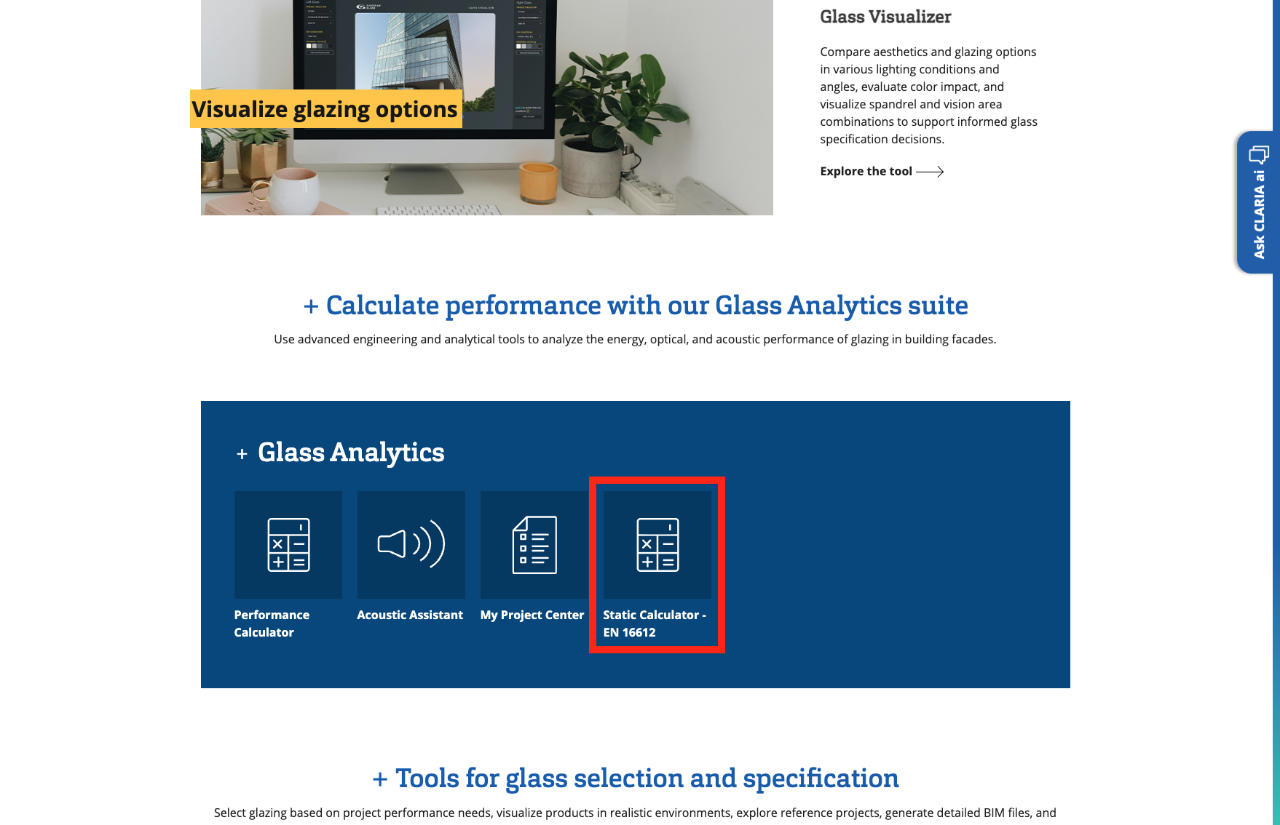
Step 2 – Enter contact details and report language
- Fill in your contact information
- Choose the language of the calculation report (this is independent from the tool interface language)
This information will appear on the generated report.
Tip: Make sure you select the correct region, as standards and default assumptions may vary.
Step 3 – Set up the project
Provide basic project information:
- Project name
- Country and city
- Building type
- Estimated glass area (used for internal reference)
This step helps identify the calculation and does not influence the structural results directly.
Step 4 – Define glazing geometry and support
Enter the main characteristics of the glazing:
- Glass width and height – NEW: new geometries have been added: you can now calculate do a static calculation for triangles, parallelograms, trapeziums, and other special shapes.
- Inclination angle
- Support conditions (e.g. supported on 2, 3, or 4 sides)
Correct support definition is essential, as it strongly affects stress and deflection results.
Step 5 – Build the glazing composition
Define the glass build-up:
- Monolithic or insulating glass unit (IGU)
- Glass thickness(es)
- Glass substrates
- Heat treatment (annealed, heat strengthened, tempered)
- Laminated glass composition (interlayers, ply sequence) – NEW: a new option allows laminated glass to act as a monolithic, thicker pane, enabling shear coupling to be applied in calculations.
- Cavity thickness (for IGUs)
You can adjust or rebuild the composition before proceeding.
Step 6 – Define loads (critical step)
Wind load
- Enter wind pressure and/or suction
- Use the correct sign convention:
- Positive = pressure
- Negative = suction
- Select the load duration (e.g. 3 seconds or 10 minutes)
Load duration directly influences the calculation results.
Climatic load (IGUs only)
For insulating glass units, climatic loads have default values as per EN 16612, but you can adjust them according to your project needs, fabrication and installation conditions:
Climatic loads account for pressure differences due to altitude, temperature, and atmospheric changes and can significantly impact glass stress.
NEW: climatic loads are now displayed only when relevant checkboxes are selected, making the interface cleaner and more intuitive.
Line load (if applicable)
If a line load applies:
- Enter the value based on the relevant standard (e.g. EN 1991)
- Define the load direction and the side of application
- Select the load duration
Step 7 – Submit the calculation
Once all inputs are complete:
- Submit the calculation
- The tool evaluates all load cases automatically
Step 8 – Review results and download the report
The results screen shows:
- Whether the glass configuration is verified (“proof OK”)
- Governing load case
- Maximum stress and deflection
You can download a PDF calculation report summarizing all inputs and results.
NEW: You can start a new calculation without re-entering your contact and project information. This information is automatically saved and reused; only the glass configuration details need to be entered again.

Want to see the tool in action?
Watch our webinar replay where our technical experts walk through the Static Calculator tool step by step and explain key inputs such as loads, glazing composition, and result interpretation. This session is ideal if you want additional context, practical tips, and real-use explanations before or while using the tool.

Frequently asked questions about the Static Calculator (FAQ)
Q: What is the Static Calculation Request tool used for?
A: The tool checks glass stress and deflection for standard glazing configurations under defined loads. It is intended for preliminary verification and technical support.
Q: How can I access the Static Calculator tool?
A: You can access the Static Calculator via the Guardian Glass website through the Resource Hub. It is also available directly from the Performance Calculator: when you start a static calculation from an existing project in the Performance Calculator, key project data is automatically transferred, allowing you to continue your workflow without re-entering information.
Q: When should I use the Calculation Request form instead?
A: Use the request form if your project involves:
- Complex geometries
- Point-fixed systems
- Non-standard boundary conditions
- Load cases that cannot be clearly defined
In these cases, a Guardian Glass expert can review your request.
Q: Does load duration affect the results?
A: Yes. Load duration influences the allowable stress and must be selected correctly. Short-term loads (e.g. wind gusts) and long-term loads produce different results.
Q: How do I choose the correct wind load duration?
A: Under the Eurocode approach defined in EN 1991-1-4, the standard wind load averaging duration is 10 minutes. However, the appropriate wind load duration may vary depending on the chosen design approach, project requirements, and the governing standard, and should always follow the applicable specification.
Q: Why is climatic load mandatory for insulating glass units?
A: Climatic loads account for pressure changes caused by:
- Temperature differences
- Altitude changes
- Atmospheric pressure variations
Ignoring climatic load may lead to underestimating glass stress in IGUs.
Q: What sign convention should I use for wind loads?
A: You should use:
- Positive values represent pressure
- Negative values represent suction
Using the wrong sign may invert the load case and invalidate the results.
Q: How do I know what line load should be applied?
A: Line load values are typically defined by structural standards such as EN 1991 or National Standards.
Q: Can I edit a calculation after submitting it?
A: No. Once submitted, a calculation cannot be edited. If changes are required, a new calculation must be created.
Q: What languages are available for the calculation report?
A: The report language can be selected at the beginning of the process and is independent of the interface language.
The interface language is defined by the language selected on the Guardian Glass website homepage when choosing your regional site; the Resource Hub and its tools, including the Static Calculation Request Tool, will then be displayed in that language.
Q: What does “proof OK” mean?
A: “Proof OK” indicates that the defined glass configuration satisfies the stress and deflection criteria for the entered load cases.
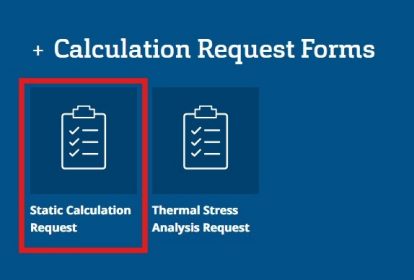
You are working on an architectural project with complex glazing geometries, building design, or specific boundary conditions? Ask one of our technical experts to support your project by filling in a Static Calculation Request form for a tailored assessment.

